
Hyundai Palisade (LX2): TRIP Computer (Cluster type A and type B) / Digital speedometer, Smart shift
Digital speedometer
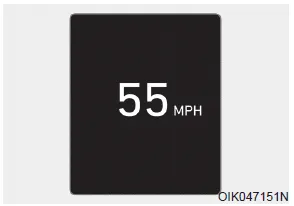
This digital speedometer display shows the speed of the vehicle.
Smart shift
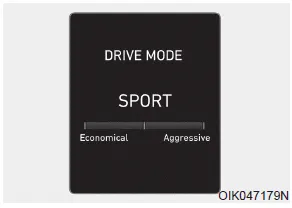
This mode displays the currently selected drive mode.
This display shows the trip distance (1), the average fuel economy (2), and the total driving time (3). The information is combined for each ignition cycle.
LCD Display Control The LCD display modes can be changed by using the control buttons. (1) : MODE button for changing modes (2) , : MOVE switch for changing items (3) OK - Tab: SELECT/RESET button for setting the selected item - Tab and hold: SELECT/RESET button for retrieving assist information or resetting the selected item View Modes Utility View Mode The utility view mode displays information related to vehicle driving parameters including fuel economy and trip distance information.
Other information:
Hyundai Palisade (LX2) 2020-2026 Service Manual: Heater & A/C Control Unit (Rear)
Components and components location Component Connector Pin Function Connector PIN No Pin Function Connector PIN No Pin Function A 1 Battery A 17 IGN2 2
Hyundai Palisade (LX2) 2020-2026 Service Manual: Description and operation
Description The smart cruise control system allows a driver to program the vehicle to control the speed and following distance by detecting the vehicle ahead without depressing the brake pedal or the accelerator pedal. 1.
Categories
- Manuals Home
- Hyundai Palisade Owners Manual
- Hyundai Palisade Service Manual
- Automatic Transaxle System (A8LF1)
- Rear Heater Unit
- Components and components location
- New on site
- Most important about car
