
Hyundai Palisade (LX2): Power Door Mirrors / Power Door Mirror Switch
Schematic diagrams
| Circuit Diagram |
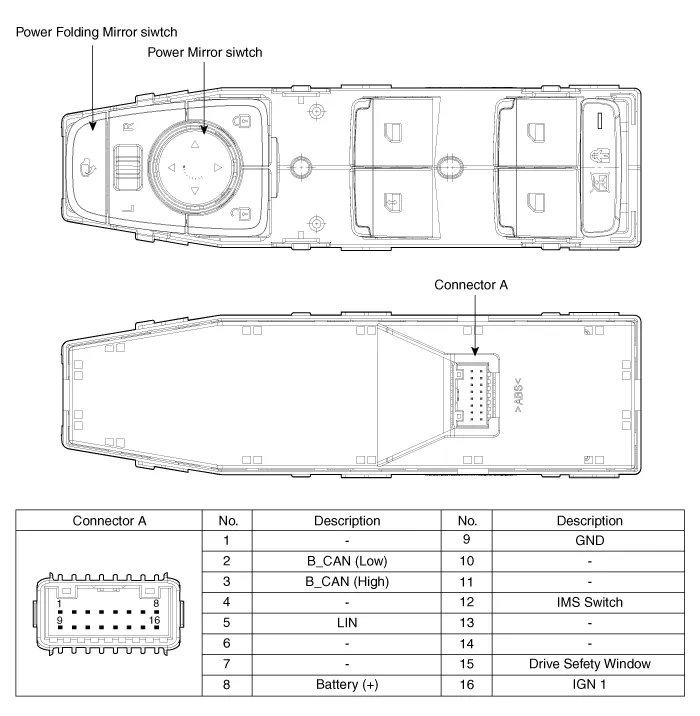
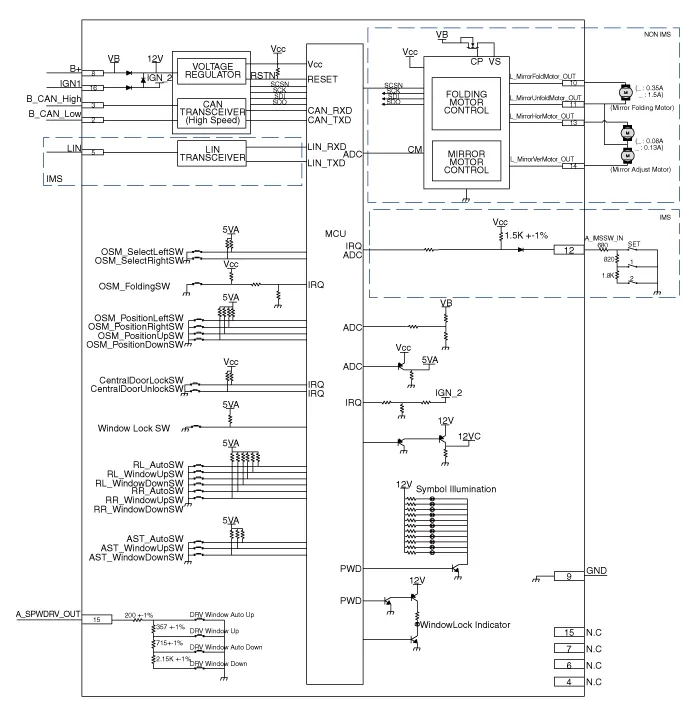
Repair procedures
| Removal |
| 1. |
Disconnect the negative (-) battery terminal.
|
| 2. |
Remove the front left door trim.
(Refer to Body - "Front Door Trim")
|
| 3. |
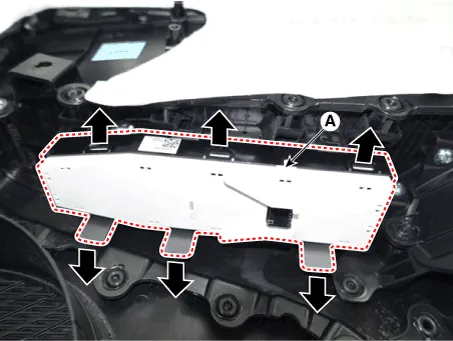
Disengage the mounting clip and then remove the door rock switch assembly
(A).
|
| Installation |
| 1. |
Install the power mirror switch.
|
| 2. |
Install the front door trim after connecting the connector.
|
| 3. |
Connect the negative (-) battery terminal.
|
| Inspection |
| 1. |
In the body electrical system, failure can be quickly diagnosed by using
the vehicle diagnostic system (Diagnostic tool).
The diagnostic system (Diagnostic tool) provides the following information.
|
| 2. |
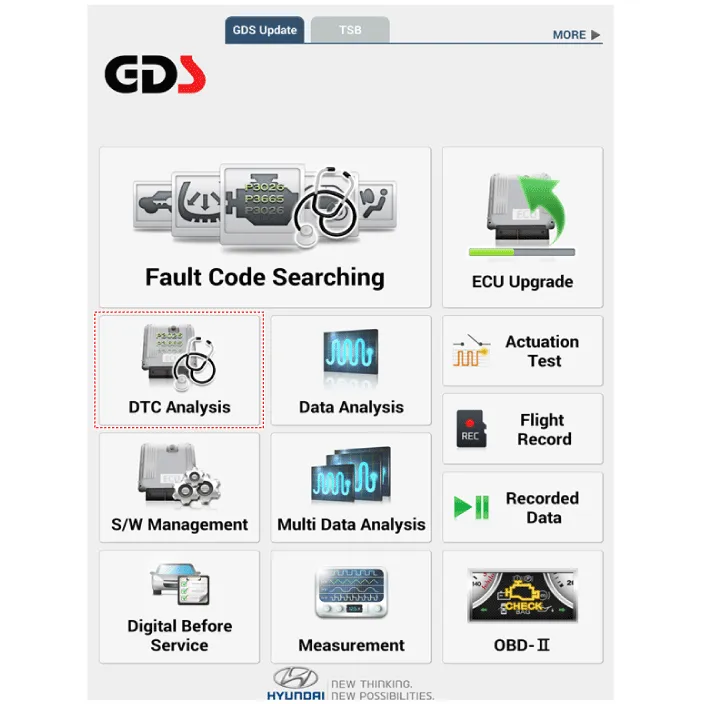
If diagnose the vehicle by Diagnostic tool, select "DTC Analysis" and
"Vehicle".
|
| 3. |
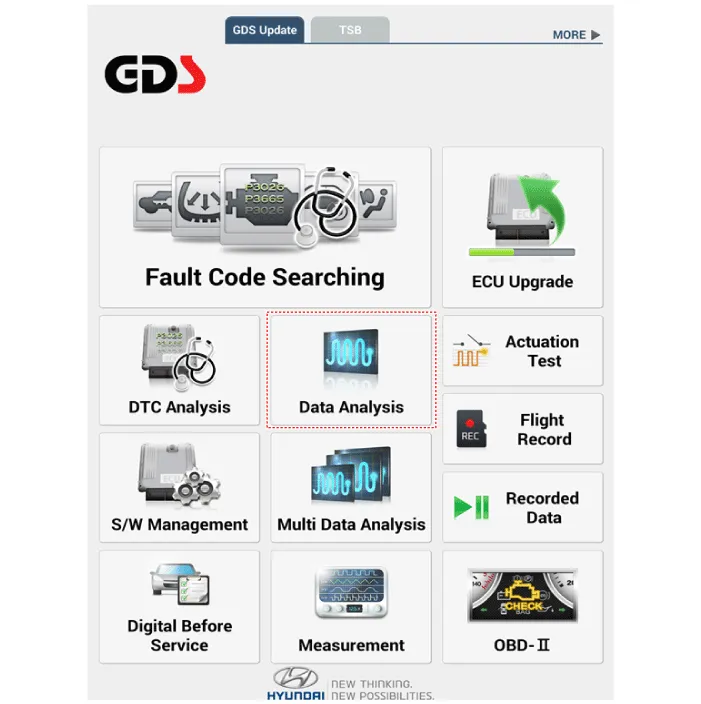
If check current status, select the "Data Analysis" and "Car model".
|
| 4. |
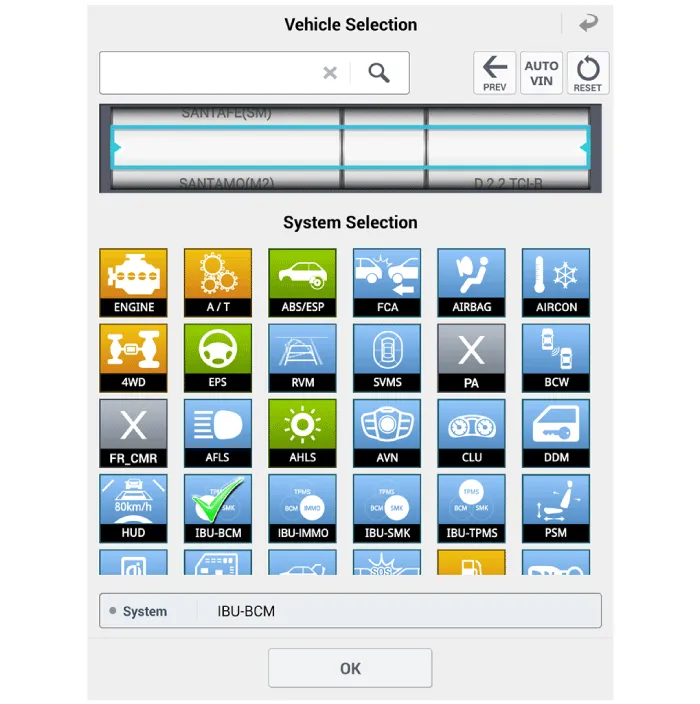
Select the 'IBU_BCM' to search the current state of the input/output
data.
|

| 5. |
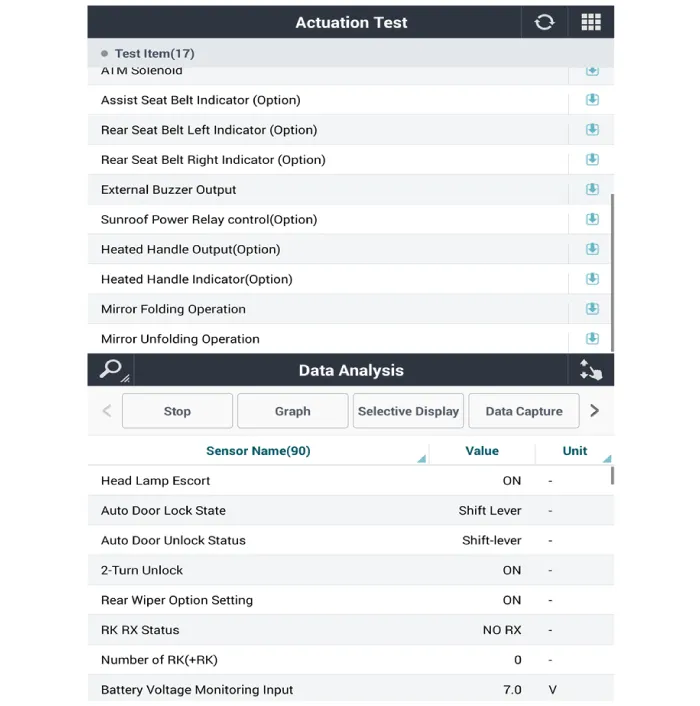
To forcibly actuate the input value of the module to be checked, select
option 'Actuation Test'.
|
Component Location 1. Power door mirror 2. Power door mirror switch 3. Power folding mirror switch
Repair procedures Removal 1. Disconnect (-) battery terminal. 2. Using a fastener remover (C), remove the mirror (A) as illustration below.
Other information:
Hyundai Palisade (LX2) 2020-2026 Service Manual: Rear Evaporator Core
Repair procedures Replacement 1. Remove the rear heater & A/C unit. (Refer to Rear Heater - "Rear Heater Unit") 2. Loosen the mounting screws, remove the rear heater & A/C unit cover (A) and evaporator core (B).
Hyundai Palisade (LX2) 2020-2026 Service Manual: Description and operation
Description The cruise control system is engaged by the cruise "ON/OFF" main switch located on right of steering wheel column. The system has the capability to cruise, coast, accelerate and resume speed. It also has a safety interrupt, engaged upon depressing brake or shifting select lever.
Categories
- Manuals Home
- Hyundai Palisade Owners Manual
- Hyundai Palisade Service Manual
- Electrochromatic Mirror (ECM) with homelink system
- Scheduled maintenance services
- Emergency liftgate safety release
- New on site
- Most important about car
