
Hyundai Palisade (LX2): TRIP Computer (Cluster type A and type B) / Digital speedometer, Smart shift
Digital speedometer
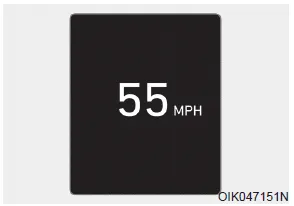
This digital speedometer display shows the speed of the vehicle.
Smart shift
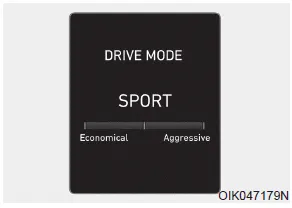
This mode displays the currently selected drive mode.
This display shows the trip distance (1), the average fuel economy (2), and the total driving time (3). The information is combined for each ignition cycle.
LCD Display Control The LCD display modes can be changed by using the control buttons. (1) : MODE button for changing modes (2) , : MOVE switch for changing items (3) OK - Tab: SELECT/RESET button for setting the selected item - Tab and hold: SELECT/RESET button for retrieving assist information or resetting the selected item View Modes Utility View Mode The utility view mode displays information related to vehicle driving parameters including fuel economy and trip distance information.
Other information:
Hyundai Palisade (LX2) 2020-2026 Service Manual: Heater Unit
Components and components location Component Location 1. Heater unit assembly Components 1. Heater core assembly 2. Heater unit pad 3. Heater lower cover 4. Drain hose 5.
Hyundai Palisade (LX2) 2020-2026 Service Manual: Temperature Control Actuator
Description and operation Description The heater unit includes mode control actuator and temperature control actuator. The temperature control actuator is located at the heater unit. It regulates the temperature by the procedure as follows.
Categories
- Manuals Home
- Hyundai Palisade Owners Manual
- Hyundai Palisade Service Manual
- Engine Electrical System
- Removing and Storing the Spare Tire
- Automatic Transaxle System (A8LF1)
- New on site
- Most important about car
