
Hyundai Palisade (LX2): Front View Camera System / Front View Camera Unit
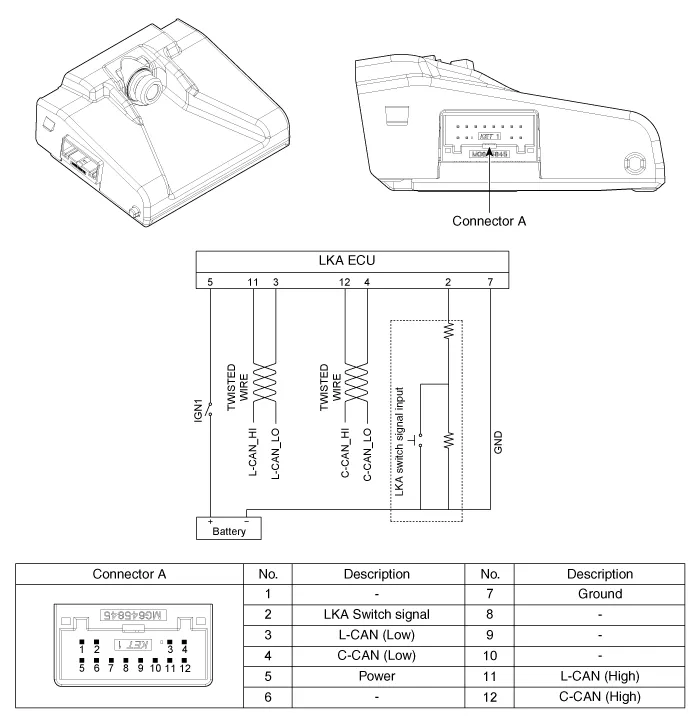
Schematic diagrams
| Circuit Diagram |
Repair procedures
| Removal |
| 1. |
Disconnect the negative (-) battery terminal.
|
| 2. |
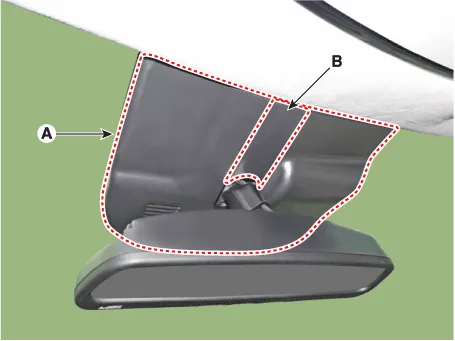
Remove the inside rear view mirror cover (A) and rain sensor cover (B).
|
| 3. |
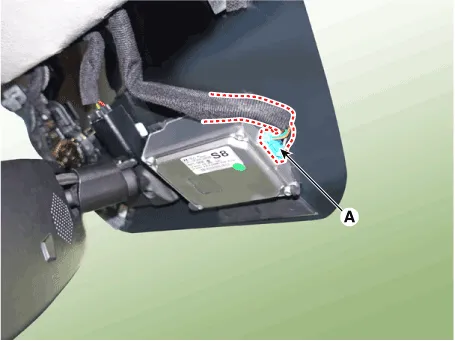
Disconnect the front view camera unit connector (A).
|
| 4. |
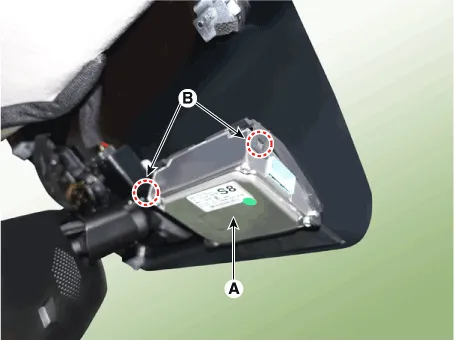
Separate the fixed points (A) of coupler, remove the front view camera
(B).
|
| Installation |
|

| 1. |
Install in the reverse order of removal.
|
| 2. |
When if replacing the front view camera with a new one, perform the
"Variant Coding" procedure by using the Diagnostic Tools.
|
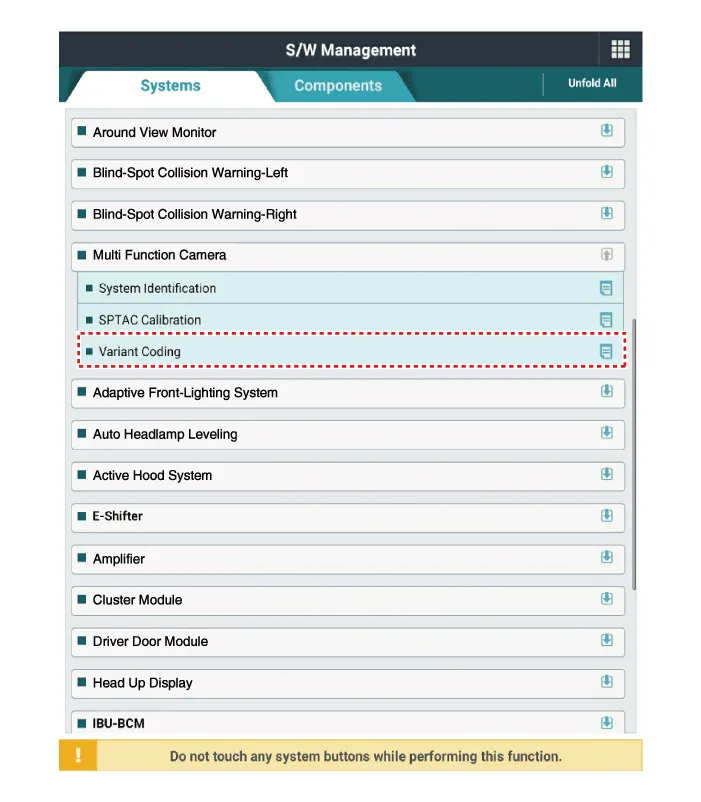
| 3. |
Perform the front view camera unit calibration.
(Refer to Repair procedures - "Service Point Target Auto Calibration
(SPTAC)")
|
Variant Coding When you need variant coding: – Replace Front View Camera with a new one ※ EOL Variant Coding and calibration required for new replacement Front View Camera Variant Coding Front view camera variant coding makes it possible to operate functions for each vehicle type.
Other information:
Hyundai Palisade (LX2) 2020-2026 Service Manual: Specifications
Specification Air Conditioner Item Specification Compressor Type 7VSX18 (External Variable Displacement Swash Plate) Oil type & Capacity PAG 180 ± 10cc (6.
Hyundai Palisade (LX2) 2020-2026 Service Manual: Compressor
Description and operation Description The compressor is the power unit of the A/C system. It is located on the side of engine block and driven by a V-belt of the engine. The compressor changes low pressure and low temperature refrigerant gas into high pressure and high temperature refrigerant gas.
Categories
- Manuals Home
- Hyundai Palisade Owners Manual
- Hyundai Palisade Service Manual
- Emergency liftgate safety release
- Components and components location
- Engine Mechanical System
- New on site
- Most important about car
