
Hyundai Palisade (LX2): Fuel Delivery System / Fuel Pressure Sensor (FPS)
Description and operation
| Description |
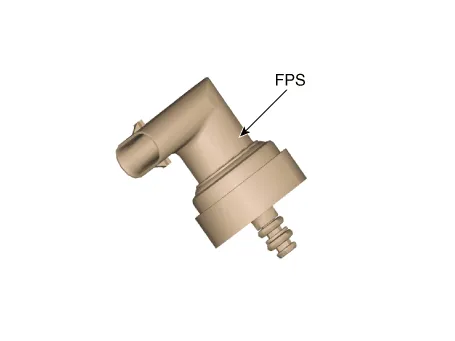
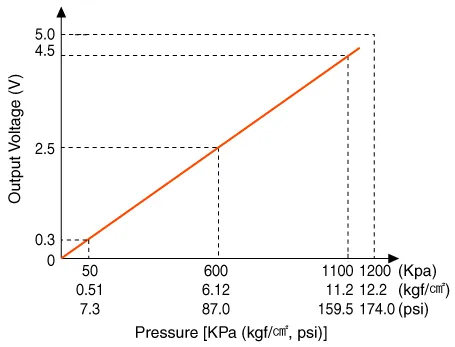
Specifications
| Specification |
|
Pressure [kPa (kgf/cm², psi)] |
Output Voltage (V) |
|
50 (0.51, 7.3) |
0.3 |
|
600 (6.12, 87.0) |
2.5 |
|
1100 (11.2, 159.5) |
4.5 |
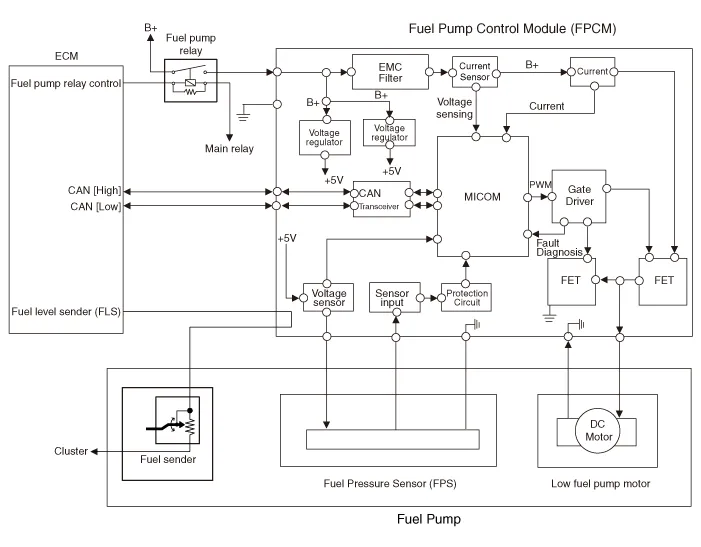
Schematic diagrams
| Circuit Diagram |
| Terminal Illustration |

| Terminal Function |
|
No |
Function |
Connected to |
|
1 |
Fuel Pressure sensor (FPS) power supply |
Fuel Pump Control Module (FPCM) |
|
2 |
Fuel Pressure sensor (FPS) signal input |
Fuel Pump Control Module (FPCM) |
|
3 |
Fuel Pressure sensor (FPS) groun |
Fuel Pump Control Module (FPCM) |
Repair procedures
| Inspection |
| 1. |
Connect the diagnostic tool on the Data Link Connector (DLC).
|
| 2. |
Check the output voltage of fuel pressure sensor (FPS).
|
|
Pressure [kPa (kgf/cm², psi)] |
Output Voltage (V) |
|
50 (0.51, 7.3) |
0.3 |
|
600 (6.12, 87.0) |
2.5 |
|
1100 (11.2, 159.5) |
4.5 |
| Removal |
| 1. |
Release the residual pressure in fuel line.
(Refer to Fuel Delivery System - "Release Residual Pressure in Fuel
Line")
|
| 2. |
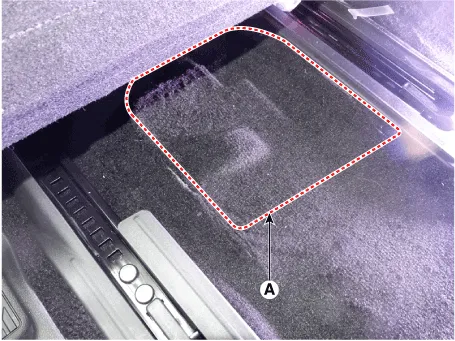
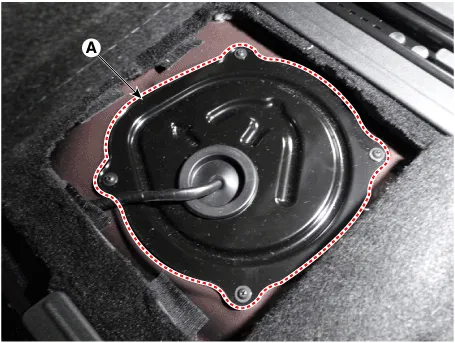
Remove the floor carpet service cover (A).
|
| 3. |
Remove the fuel pump service cover (A) after loosening the mounting
screws.
|
| 4. |
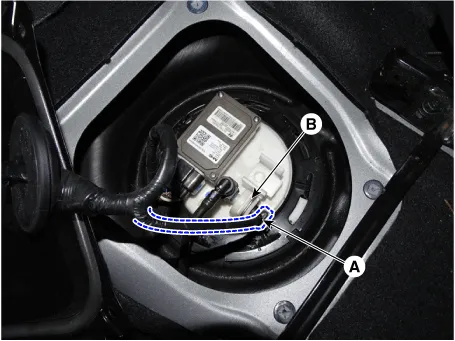
Disconnect the fuel pressure sensor connector (A).
|
| 5. |
Remove the fuel pressure sensor fixing pin (B).
|
| 6. |
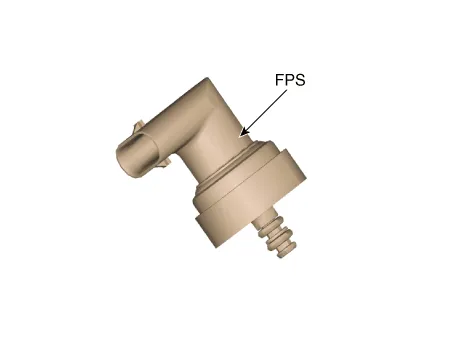
Remove the fuel pressure sensor from the fuel pump.
|
| Installation |
| 1. |
Install in the reverse order of removal.
|
Description and operation Description The fuel pump control module (FPCM) is installed on the right side of the fuel tank and controls the DC motor mounted inside the low pressure fuel pump.
Repair procedures Removal 1. Remove the fuel pump. (Refer to Fuel Delivery System - "Fuel Pump") 2.
Other information:
Hyundai Palisade (LX2) 2020-2026 Service Manual: Rear Evaporator Core
Repair procedures Replacement 1. Remove the rear heater & A/C unit. (Refer to Rear Heater - "Rear Heater Unit") 2. Loosen the mounting screws, remove the rear heater & A/C unit cover (A) and evaporator core (B).
Hyundai Palisade (LX2) 2020-2026 Service Manual: General safety information and caution
General Safety Information and Caution 1. Be careful when driving the vehicle using the smart cruise control system as follows. (1) On curves or inclines/declines • The smart cruise control system may have limits to detect
Categories
- Manuals Home
- Hyundai Palisade Owners Manual
- Hyundai Palisade Service Manual
- Rear Heater Unit
- Identification Numbers
- Engine Electrical System
- New on site
- Most important about car
